Invoice Templates
Feature Explanation
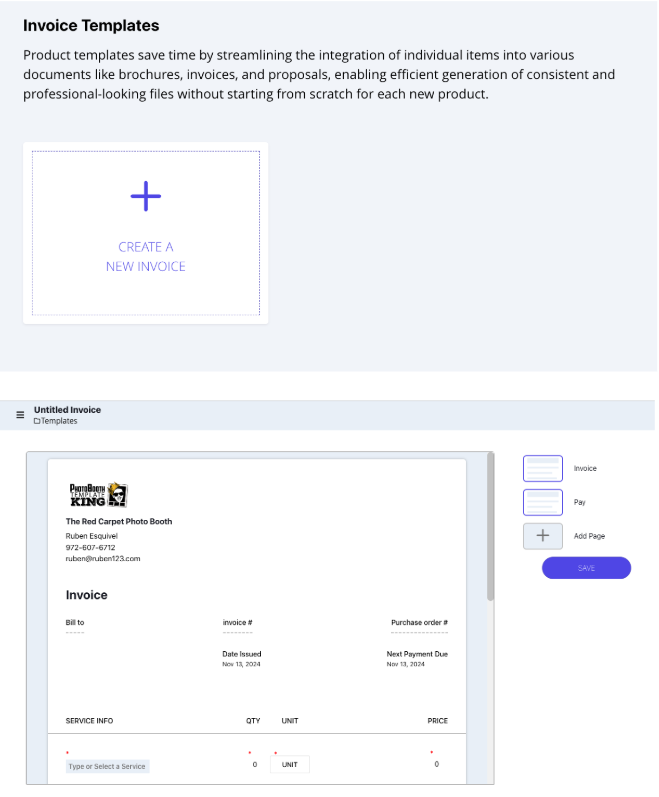
Invoice templates make it easy to create and send detailed invoices for your
events. The system automatically brings in your company logo and contact information from the
Company
Settings page, ensuring consistent branding at the top of every invoice.
After you’ve created some invoice templates, you’ll be able to send them to the customer directly from the
Event Overview page.
The “Bill To” section will automatically update with the customer’s
name and
information, and an invoice number is generated to keep each transaction unique and organized.
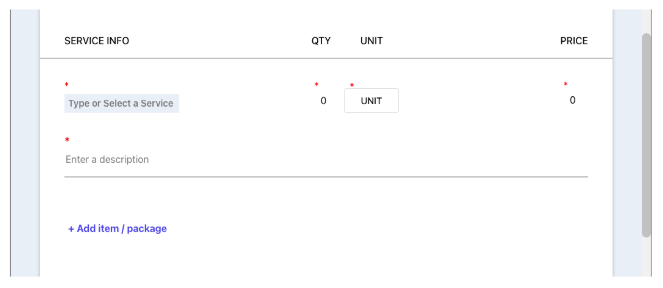
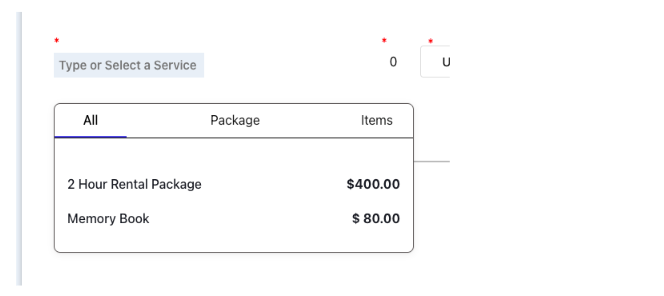
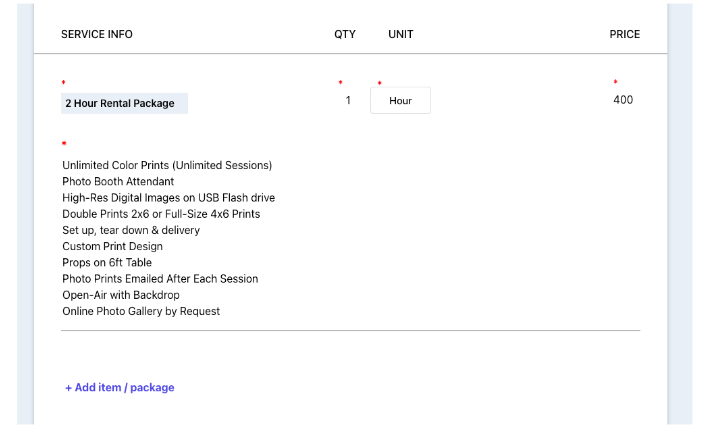
You can add as many items or packages as you want to an invoice. Products and packages you’ve already set
up in the Templates Category can be imported directly, bringing in details like name,
description, and
price automatically.
Alternatively, you can add items manually or combine both options to tailor each
invoice to specific event needs.
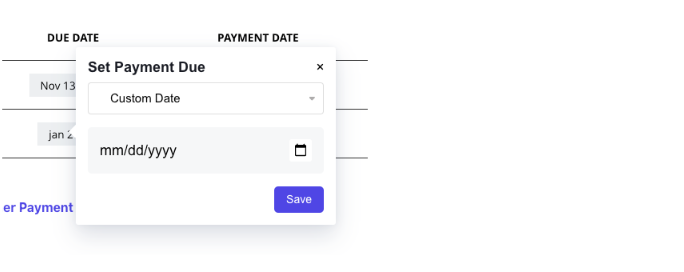
For each invoice, you can set up a payment schedule, allowing you to split the total into installments
with specific due dates. This breakdown helps you and your customers manage payments over time, rather
than paying everything upfront.
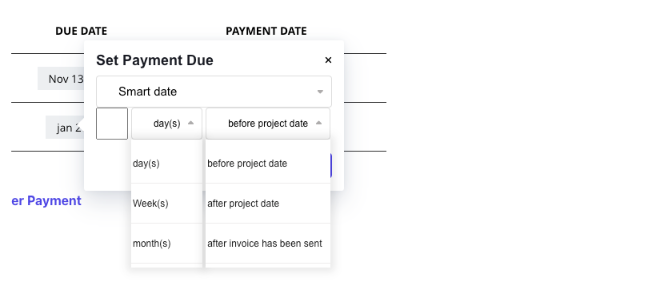
Smart Date Feature
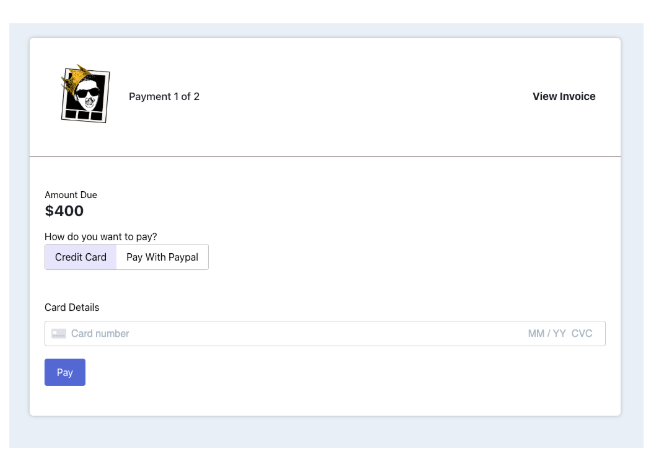
The Smart Date feature in the payment schedule lets you set flexible due dates based on the event timeline or the date the invoice is sent. You can select a specific time frame (days, weeks, or months) and choose whether it’s before or after the project date, or after the invoice has been sent. This way, due dates adjust automatically based on the event info or when you send the invoice, keeping the payment plan aligned with your project timeline. Customers can conveniently pay online through integrated options like PayPal and credit/debit cards, making it easy for them and streamlining payment collection for you.
The Benefit
Creating invoice templates saves you time and effort, especially if your business has set pricing for services or packages. Instead of building invoices from scratch for every event, templates let you quickly generate invoices with consistent information. Preloaded company details, automated customer information, and flexible item importing streamline the process. The Smart Date feature keeps payment schedules accurate to event timelines, while online payment options provide clients with a hassle-free way to make payments, helping you get paid on time.
Invoice Bullet Point List
Feature Highlights:
- Consistent Branding: Automatically includes your company logo and contact information from the Company Settings page.
- Direct Sending: Send invoices directly from the Event Overview page with auto-filled customer details.
- Unique Tracking: Each invoice includes a unique invoice number for easy organization.
- Flexible Item Management: Add items manually or import products/packages from the Templates Category, complete with preloaded names, descriptions, and prices.
- Payment Schedules: Split total payments into installments with specific due dates to better manage customer payments.
- Smart Dates: Adjust due dates automatically based on event timelines or
invoice send dates, using options like:
- Before Event Date: Set payments to be due a specific number of days, weeks, or months before the event.
- After Event Date: Schedule payments to be due after the event, helping clients who need flexible arrangements.
Key Benefits:
- Time-Saving Templates: Preloaded details and automated processes eliminate the need to build invoices from scratch.
- Improved Accuracy: Automated customer and event data ensure error-free invoices and accurate payment schedules.
- Streamlined Payments: Online payment options make it easy for clients to pay, helping you get paid on time.
- Customizable: Tailor invoices to fit specific event needs with manual or imported item options.
- Efficient Payment Collection: Smart Dates ensure payment plans align with event schedules, reducing confusion for you and your clients.