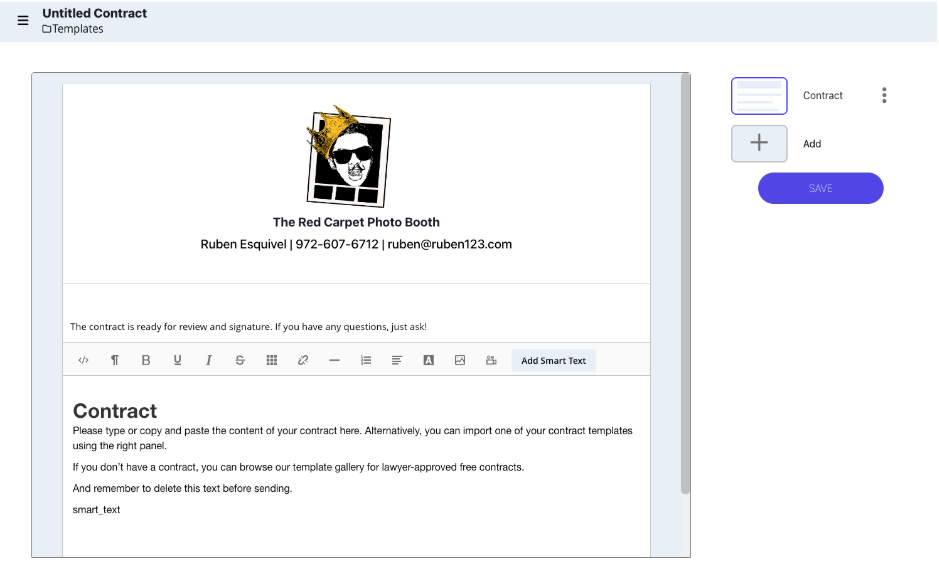
Contract Templates
Feature Explanation
The Contract Templates section lets you create reusable contract templates, streamlining the process of setting up agreements with clients. Here, you can define important details like terms, conditions, and any clauses specific to your services, making it easy to send out contracts without starting from scratch each time.
A valuable feature here is Smart Text, which allows you to add text fields that automatically update with customer-specific details when you send the contract from the Event Overview page. For instance, you can set Smart Text fields for the customer’s name, event date, and location, and the system will pull this information directly from the Event Overview page, automatically filling in the correct details for each client. This ensures your contracts are accurate and personalized with minimal effort.
When you send a contract to the customer, both you and the customer can sign it digitally. You have the option to sign it first or after the customer signs it, and both parties will receive a copy of the contract once completed. Contracts can also be combined with other templates into Proposal Templates, making it easy to present multiple documents in one streamlined package.
How to Use Smart Text in Your Contract
You can use the Smart Text tool inside Event Trackit, or you can copy and paste the Smart Text fields below directly into your contract where needed.
Event Name: {Event_Name}
First Name: {First_Client_First_Name}
Last Name: {First_Client_Last_Name}
Email: {First_Client_Email}
Event Type: {Event_Type}
Event Date: {Event_Date}
Event Location: {Event_Location}
The Benefit
Creating Contract Templates within this platform not only saves you time but also provides an essential layer of protection for you as a business owner. By having templates, you can easily set up and reuse contracts without starting from scratch each time, saving you considerable time and effort. You can also create multiple types of contracts, each tailored for different services or clients, allowing for flexibility and customization.
Contracts outline the terms of your services, set clear expectations with clients, and protect your business in case of disputes. This professional agreement safeguards both parties, ensuring everyone is aligned for the event.
With the online signature feature, both you and the customer can sign the contract digitally. You have the option to sign it first or after the customer signs it, and both parties will receive a copy of the contract once completed. You also have the option to combine contracts with other templates into proposals.
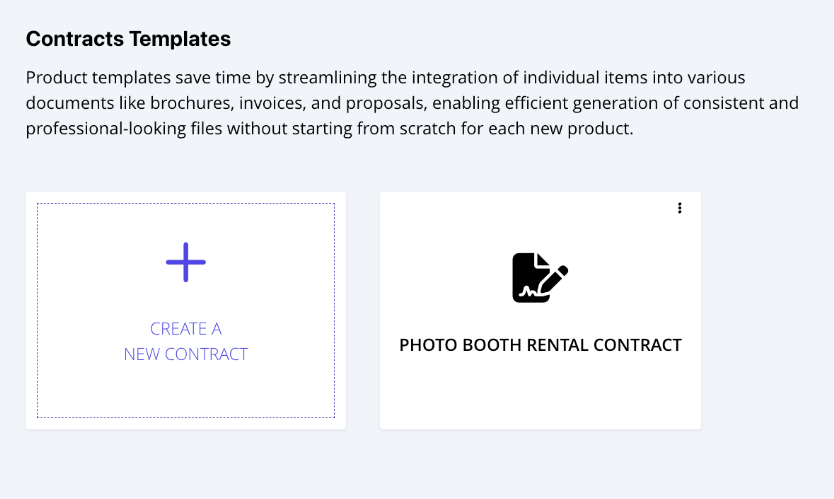
The header section at the top of the contract template automatically pulls information from the Company Settings page, including your company name, contact details, and logo. This means that if you create multiple different contract templates, any updates you make to the Company Settings page will automatically update the header on all of them. This saves you time and ensures consistent branding across all your documents.